Understanding format compatibility for your operating system and DAW
Audio plugins come in different formats, and understanding these differences matters when building a plugin library. The format you need depends on your operating system and the digital audio workstation you use. While they all perform the same function, incompatible formats simply won't load in your DAW.
VST2 and VST3: The Cross-Platform Standard
Steinberg's VST format has dominated plugin development for decades. VST2, introduced in 1996, became the de facto standard due to its simplicity and cross-platform compatibility. However, Steinberg stopped issuing new VST2 licenses in October 2018 and announced in January 2022 that its own software would phase out VST2 support within 24 months.
VST3, released in 2007, took 15 years to achieve widespread adoption. The format offers sample-accurate automation and a silence flag that reduces CPU usage when tracks aren't producing audio. However, its MIDI implementation has limitations—MIDI control changes are mapped to parameters rather than handled as true MIDI data, which complicates complex synthesizer programming.
Steinberg's licensing changes have effectively forced the industry toward VST3. Most DAWs now support VST3 as their primary plugin format, making it the practical choice for cross-platform work. The format runs on both Windows and macOS, and sessions can move between systems without plugin compatibility issues.
Audio Units: Apple's Native Format
Audio Units (AU) is Apple's plugin format for macOS and iOS. The format integrates directly with Core Audio, Apple's system-level audio framework. This integration can provide better stability on Apple hardware, though the performance difference versus VST is marginal in most cases.
Two versions exist: AUv2, which works across most macOS DAWs, and AUv3, introduced with macOS 10.11 and iOS 9. AUv3 uses a sandboxed architecture and supports cross-device preset sharing, making it the preferred format for iOS applications.
The practical question for Mac users: should you use AU or VST? If you work exclusively in Logic Pro or GarageBand, AU is the native format and the logical choice. For other DAWs like Ableton Live, Studio One, or Cubase, both formats work. Some users report AU plugins occasionally requiring a system restart for the DAW to recognize newly installed plugins, while VST versions load more reliably. However, this varies by plugin and host application.
For cross-platform projects, VST3 is essential. AU plugins don't exist on Windows, so sessions moving between macOS and Windows systems must use VST formats. Most developers now release both AU and VST versions, but checking format availability before purchasing plugins is recommended.
AAX: The Pro Tools Exclusive

Avid developed the AAX (Avid Audio eXtension) format specifically for Pro Tools. Introduced in 2011 to replace the older RTAS and TDM formats, AAX comes in two variants: AAX Native, which runs on the computer's CPU, and AAX DSP, which requires Avid's HDX hardware for additional processing power.
Pro Tools only loads AAX plugins. VST and AU formats won't work without third-party wrappers. This makes AAX essential for post-production and broadcast facilities where Pro Tools remains the standard. However, AAX development requires signing agreements with Avid, obtaining iLok authorization for commercial releases, and potentially paying licensing fees. These requirements create barriers for smaller plugin developers.
The format's future remains uncertain. Some developers have expressed concerns about AAX's complexity and Avid's control over the format. However, Pro Tools' dominance in professional audio post-production and broadcast means AAX will remain relevant as long as those industries rely on Pro Tools.
CLAP: The Open Source Alternative
The CLAP (CLever Audio Plugin) format emerged in 2022 as an open-source alternative to proprietary standards. Developed by u-he and Bitwig under the MIT license, CLAP addresses several frustrations with VST3, particularly around licensing complexity and incomplete documentation.
CLAP offers full MIDI 2.0 support, including per-note modulation that VST3 lacks. The format's threading model allows better multicore CPU performance, and its simplified architecture makes plugin development more straightforward than VST3. Being open source means no licensing fees, no legal agreements, and no approval processes for developers.
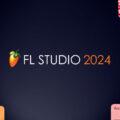
However, adoption has been gradual. As of December 2024, CLAP support exists in approximately 15 DAWs, including Bitwig Studio, Reaper, and FL Studio 2024. Ableton Live, Logic Pro, Cubase, and Pro Tools have not implemented CLAP support. The format has around 400 available plugins, with developers like FabFilter, u-he, and TAL Software providing CLAP versions of their products.
The JUCE framework, used by many plugin developers to create cross-platform plugins, does not natively support CLAP as of version 8. This slows adoption since developers using JUCE must implement CLAP support separately. Until major DAWs add CLAP hosting, plugin developers have limited incentive to prioritize the format, creating a circular adoption problem.
Technical Differences That Matter
Threading performance varies significantly. CLAP's threading model generally outperforms VST3, which in turn handles multicore processing better than VST2 or AU. For CPU-intensive plugins running multiple instances, this affects system performance.
MIDI support differs across formats. CLAP provides full MIDI 2.0 implementation with per-note modulation. AU offers complete MIDI handling. VST3 maps MIDI CC to parameters, which works for most use cases but complicates advanced modulation routing. AAX handles MIDI similarly to VST3.
Automation accuracy matters for mixing and mastering. Both VST3 and CLAP offer sample-accurate automation, ensuring parameter changes occur at precise sample positions. This provides more reproducible mixes when bouncing with different buffer sizes. VST2 quantizes automation to buffer boundaries, which can cause slight timing variations.
Development complexity affects plugin availability. VST2 was straightforward to develop, contributing to its widespread adoption. VST3 increased complexity significantly, causing the 15-year adoption delay. CLAP aims for VST2-level simplicity while providing modern features. AAX development requires extensive Avid-specific knowledge and approval processes.
Platform Strategy and Business Models
Format choices reflect different business approaches. AAX and AU are proprietary formats tied to specific companies and platforms. This creates platform lock-in—your plugin library determines which DAWs you can reasonably use. For professional facilities with significant plugin investments, switching DAWs means potentially replacing entire plugin collections.
VST3's GPL licensing recently shifted to MIT, reducing some concerns about commercial software integration. However, Steinberg controls VST3 development and can change terms. The format remains proprietary despite being widely licensed.
CLAP's MIT license means true open-source development. No company controls the specification, and anyone can implement it without fees or approval. This appeals to developers concerned about Steinberg's license changes and Avid's control over AAX.
Practical Recommendations for Plugin Selection
For cross-platform work or collaboration, VST3 provides the widest compatibility. Most major DAWs support it, and sessions transfer between Windows and Mac systems.
Mac users working exclusively in Logic Pro should use AU plugins. The native integration provides the most reliable performance within that ecosystem.
Pro Tools users need AAX versions of any plugins they purchase. VST or AU versions won't work in Pro Tools.

Windows users should focus on VST3, as AU doesn't exist on Windows and AAX requires Pro Tools.
For users in Bitwig Studio or Reaper interested in modern features, CLAP plugins offer advantages like per-note modulation and better threading. However, checking format availability before purchasing remains important since CLAP adoption is still limited.
Looking Forward
The plugin format landscape continues to evolve. VST3 dominates current plugin development, with most new plugins released in VST3 format alongside AU and sometimes AAX. CLAP adoption is growing but remains niche. FL Studio's recent CLAP support may accelerate adoption if other major DAWs follow.
For professional facilities, understanding these format differences helps when planning software purchases and system configurations. Plugin compatibility determines which DAWs can be used, affects cross-platform collaboration, and influences long-term workflow decisions. Format requirements should factor into any significant plugin investment.
Additional details on plugin format specifications and licensing are available on the respective developer websites.